
Pharmacy management software · A ChefoTech product
Modern pharmacy management, simplified.
Manage sales, purchases, inventory, batches, expiry, customers, suppliers and reports from one platform, for a single counter or a chain of outlets. With an optional AI assistant that works from your real data.
14-day trial with every feature. No card required. GST-ready for India.
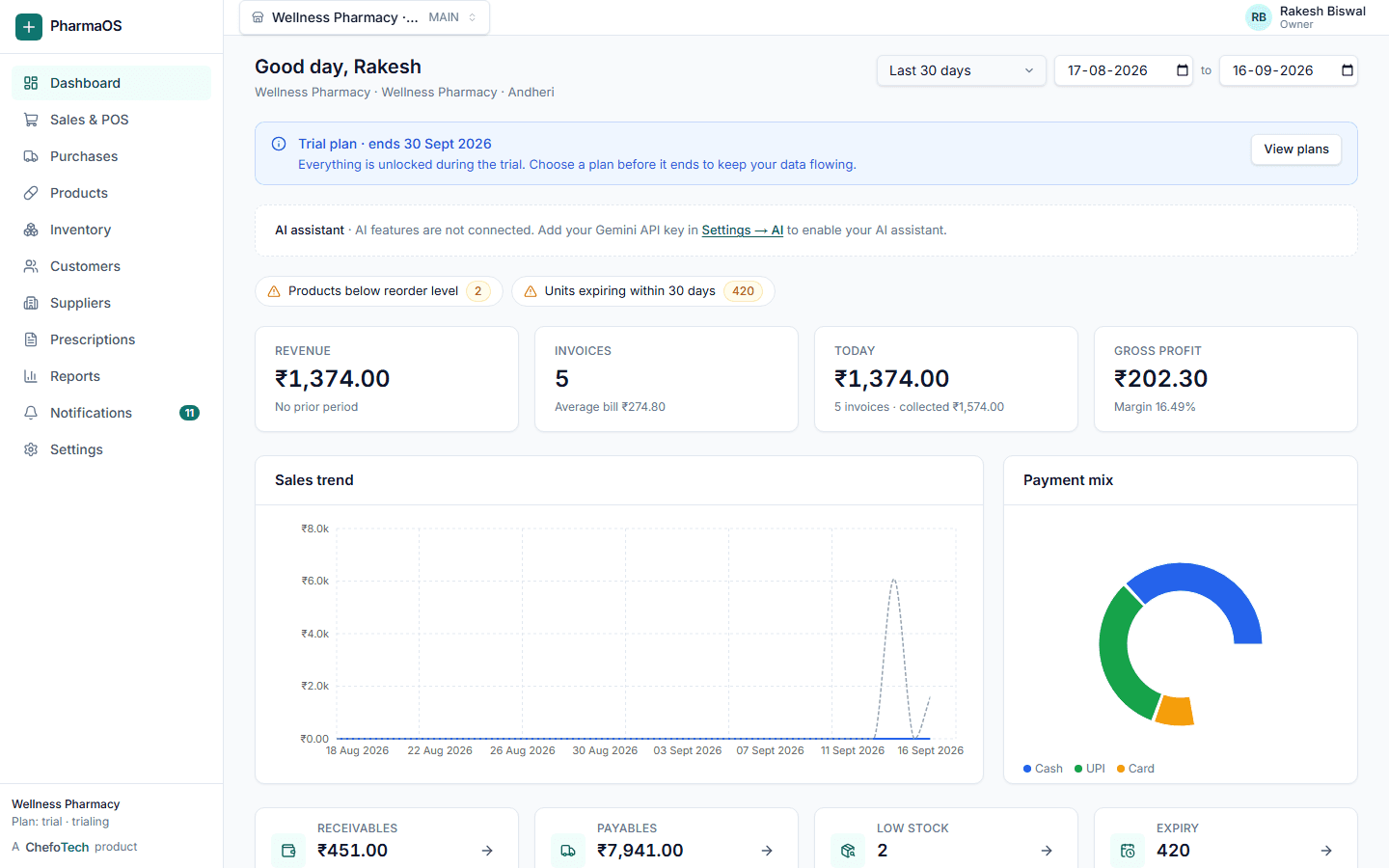
Everything a medical store runs on, in one place
For independent pharmacies, retail chains, pharmacists, billing staff and inventory managers who are tired of a notebook for Baki, a spreadsheet for expiry and a billing app that knows nothing about batches.
Save time at the counter
Keyboard-first billing with barcode search, automatic batch selection and one-click invoices keeps the queue moving.
See your stock clearly
Batch-wise quantity, expiry status, reorder level and valuation, live, across every outlet.
Know your business
Sales, margins, dues, GST and slow stock in reports the owner can read on a phone.
From the supplier bill to the customer's invoice
Each module updates the others, so stock, ledgers and reports always agree.
Billing & POS
Scan or search, pick the right batch automatically, split payments, print or share the GST invoice.
Learn moreInventory with batches
Stock per batch with cost, MRP and expiry. Loose tablets stay exact in the smallest unit.
Learn moreExpiry management
Near-expiry windows, expired stock blocked at the counter, supplier return and write-off flows.
Learn morePurchases & GRN
Supplier invoice, goods receipt, batches and payables update together in one transaction.
Learn moreCustomer credit (Baki)
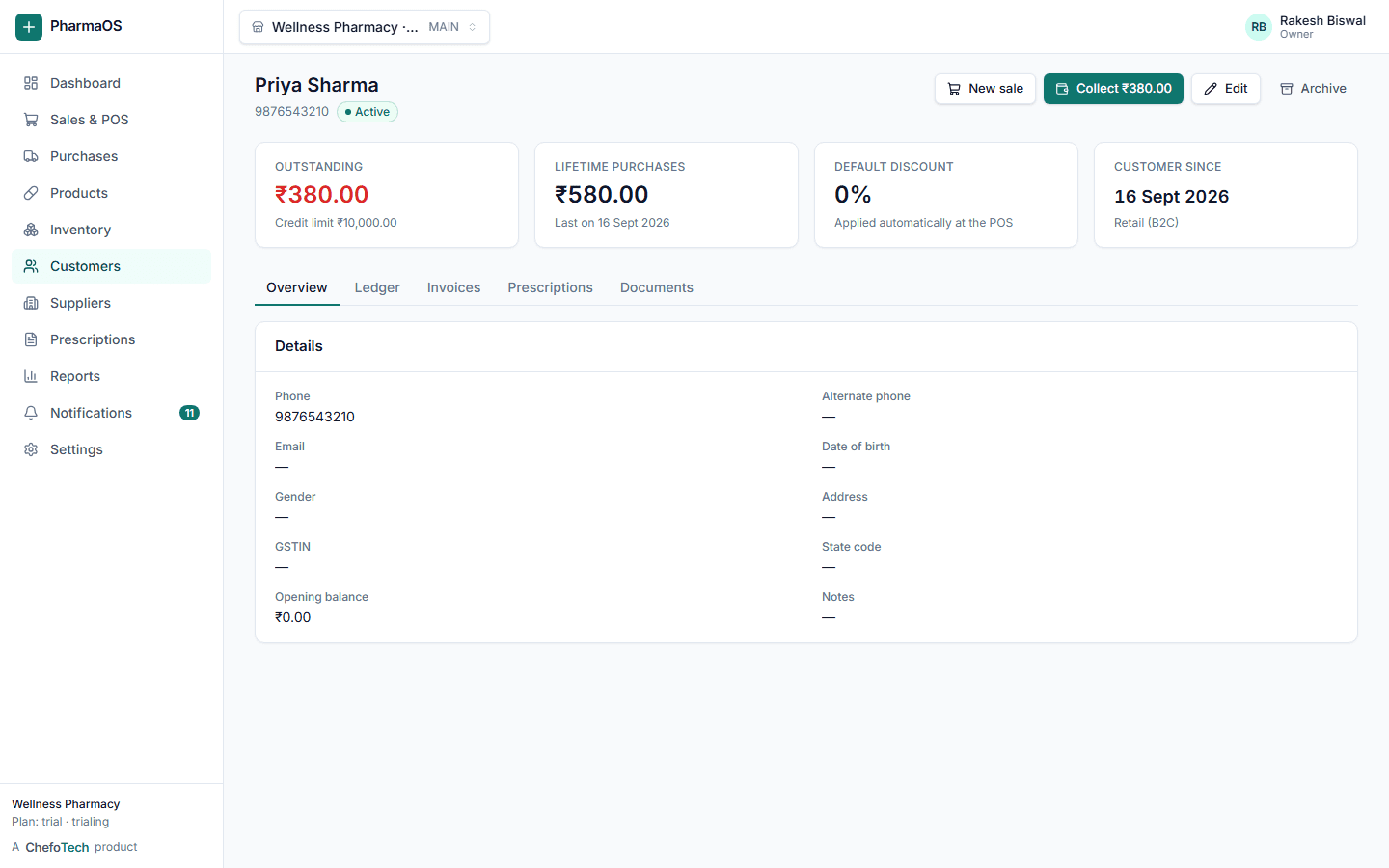
Credit limits, partial payments, overdue lists and statements that reconcile to the rupee.
Learn moreMulti-outlet
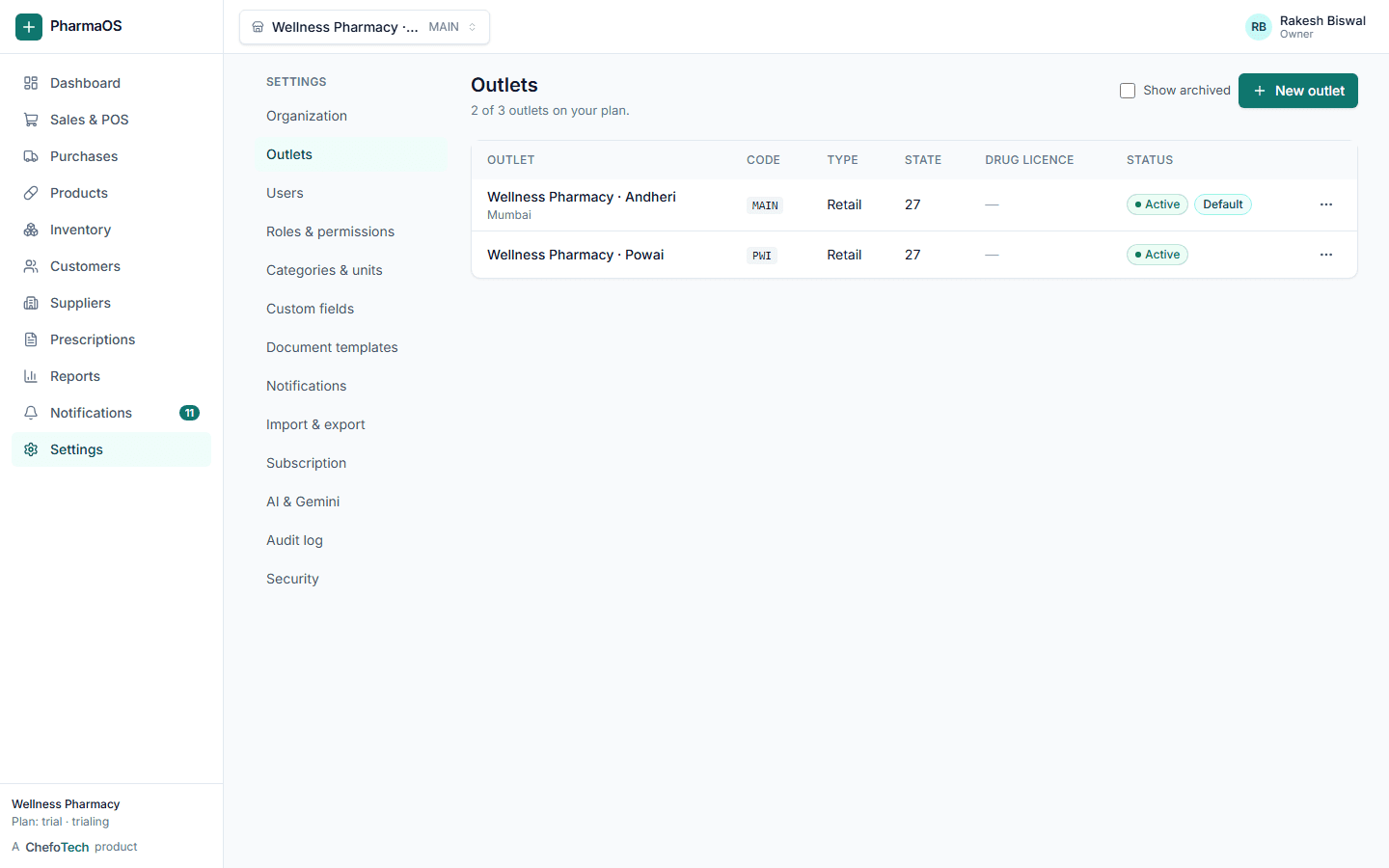
Separate stock and staff per branch, transfers between outlets, consolidated reports.
Learn moreReports & analytics
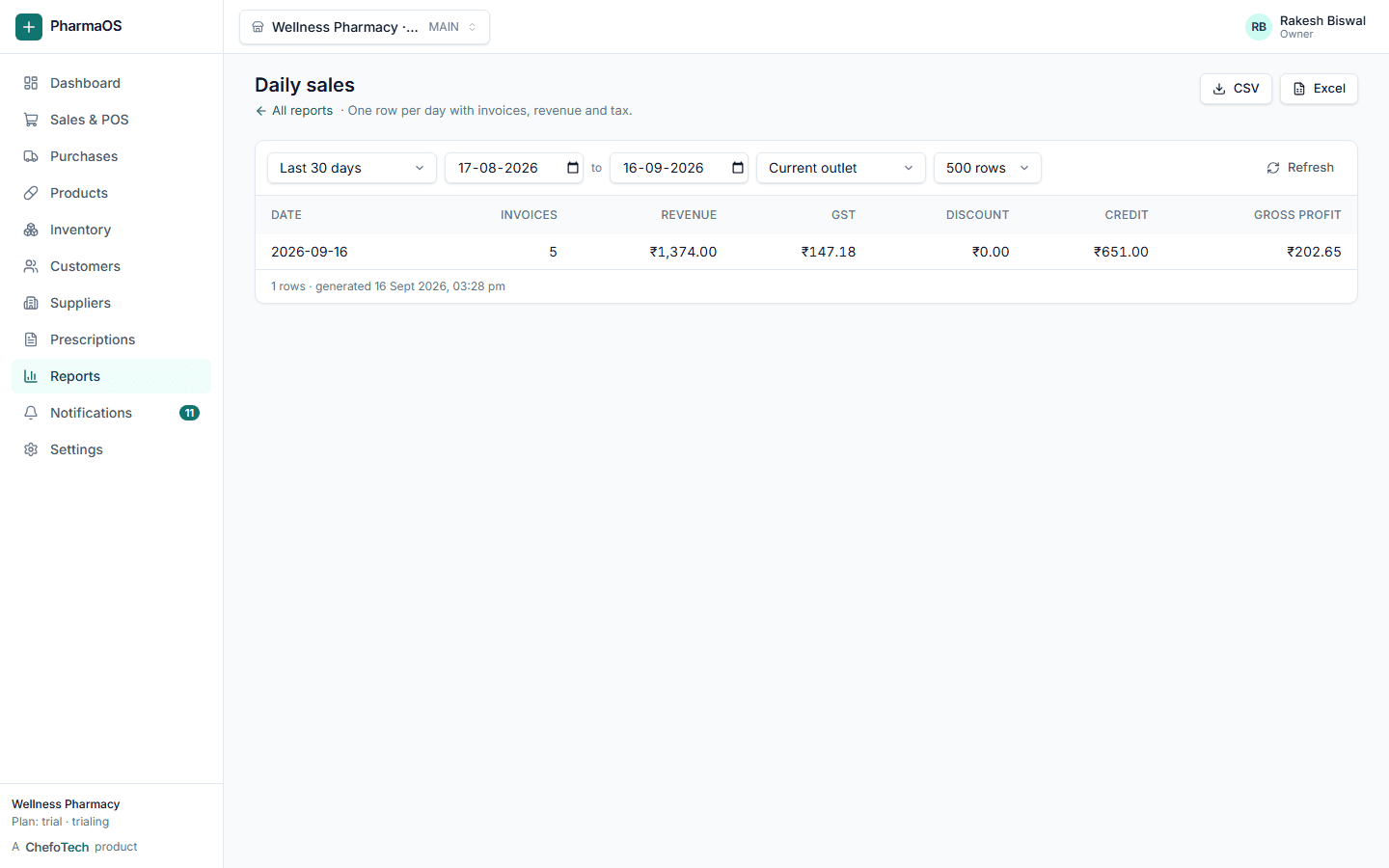
Sales, margins, GST, fast and slow movers, dead stock, outlet and staff performance.
Learn moreDocuments & templates
Design invoices, receipts, GRNs and statements. Email PDFs or share a WhatsApp link.
Learn moreScan the pack, and the bill is done
PharmaOS works with the barcode scanner you already have. Here is what happens from the scanner to the invoice.
Scan at the counter
Plug in any USB or Bluetooth barcode scanner; it types into the POS like a keyboard. The code is looked up instantly and the line lands on the bill with the earliest-expiring batch. No match? The same box searches by name, salt or brand.
One product, several barcodes
A product can hold more than one barcode, each tied to a unit, so the strip and the box of the same medicine scan as 10 tablets or 1 box. Batch number, expiry and MRP come from the pack when you enter the purchase, not from the barcode.
Print labels for the rest
Loose items, repacks and products without a manufacturer code get a label printed from the product page, so everything on the shelf scans the same way.
An assistant that knows your pharmacy
Ask in plain English, Hindi or Hinglish. The assistant reads your stock, sales and ledgers through the same rules and permissions as the rest of the platform.
- Answers stock, sales and customer questions from your real data
- Reads supplier invoices and prescriptions into drafts you check
- Runs any report from a plain-language request and explains it
- Prepares sale, purchase and payment drafts; you confirm every one
- Explains any screen with "What is this?" in English, Hindi or Hinglish
Powered by Google Gemini. Optional: each organization connects its own Gemini API key in Settings. The assistant supports pharmacists and staff; it does not replace professional judgement.
How the AI assistant worksMontek LC Tablet — 7 strips (70 tablets) across 2 batches. Batch B2301 expires in 18 months.
Average sale is 1.4 strips per day, so this lasts about 5 days. Reorder level is 10 strips.
Purchase draft ready: 30 strips of Montek LC from Medico Distributors at the last rate ₹132.00. Batch and expiry are blank; fill them from the invoice.
Bill faster than a notebook, with a GST-correct invoice every time
- Held bills survive a refresh or a dropped connection
- Schedule-H items ask for a prescription
- Print, email or share the invoice on WhatsApp
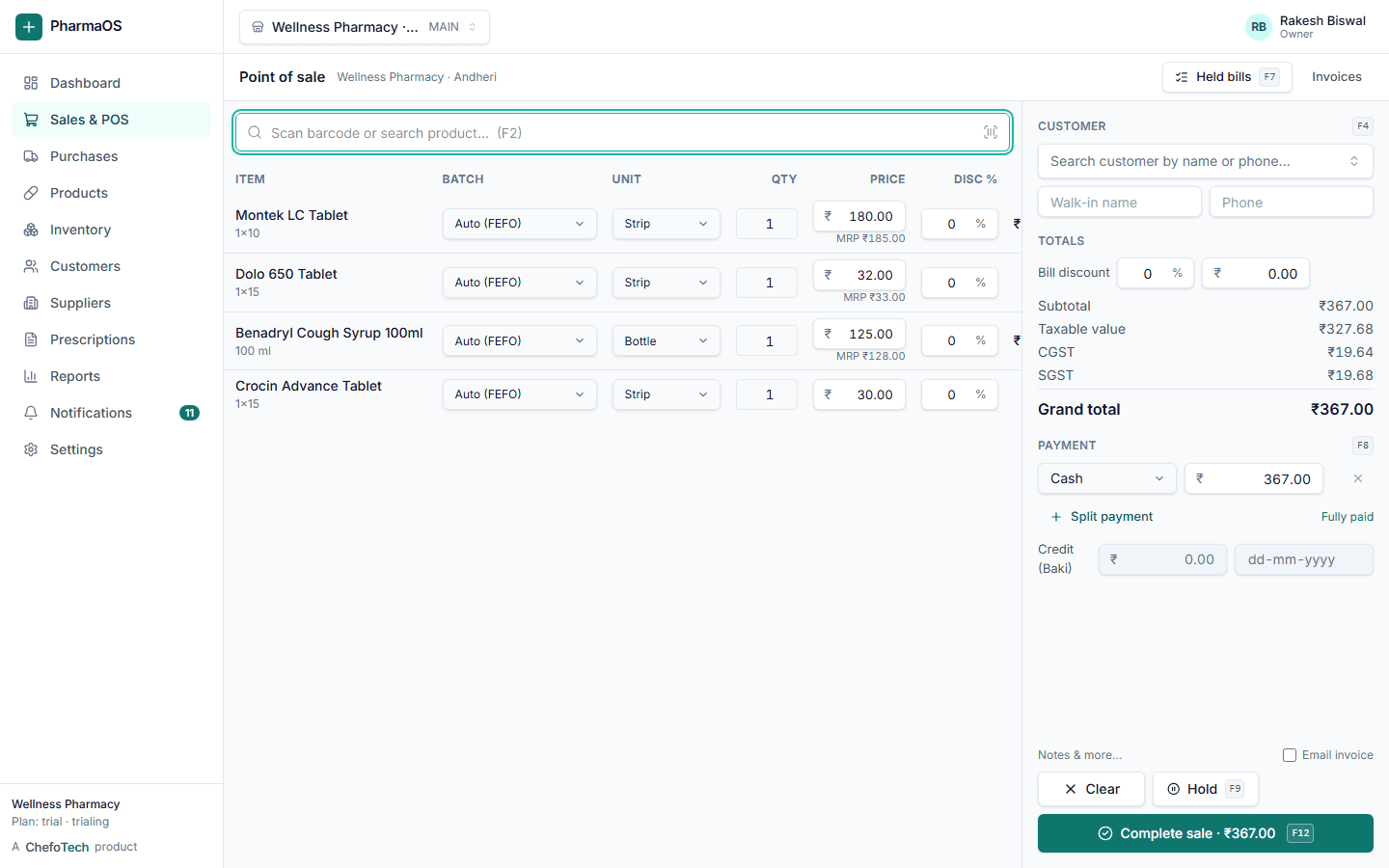
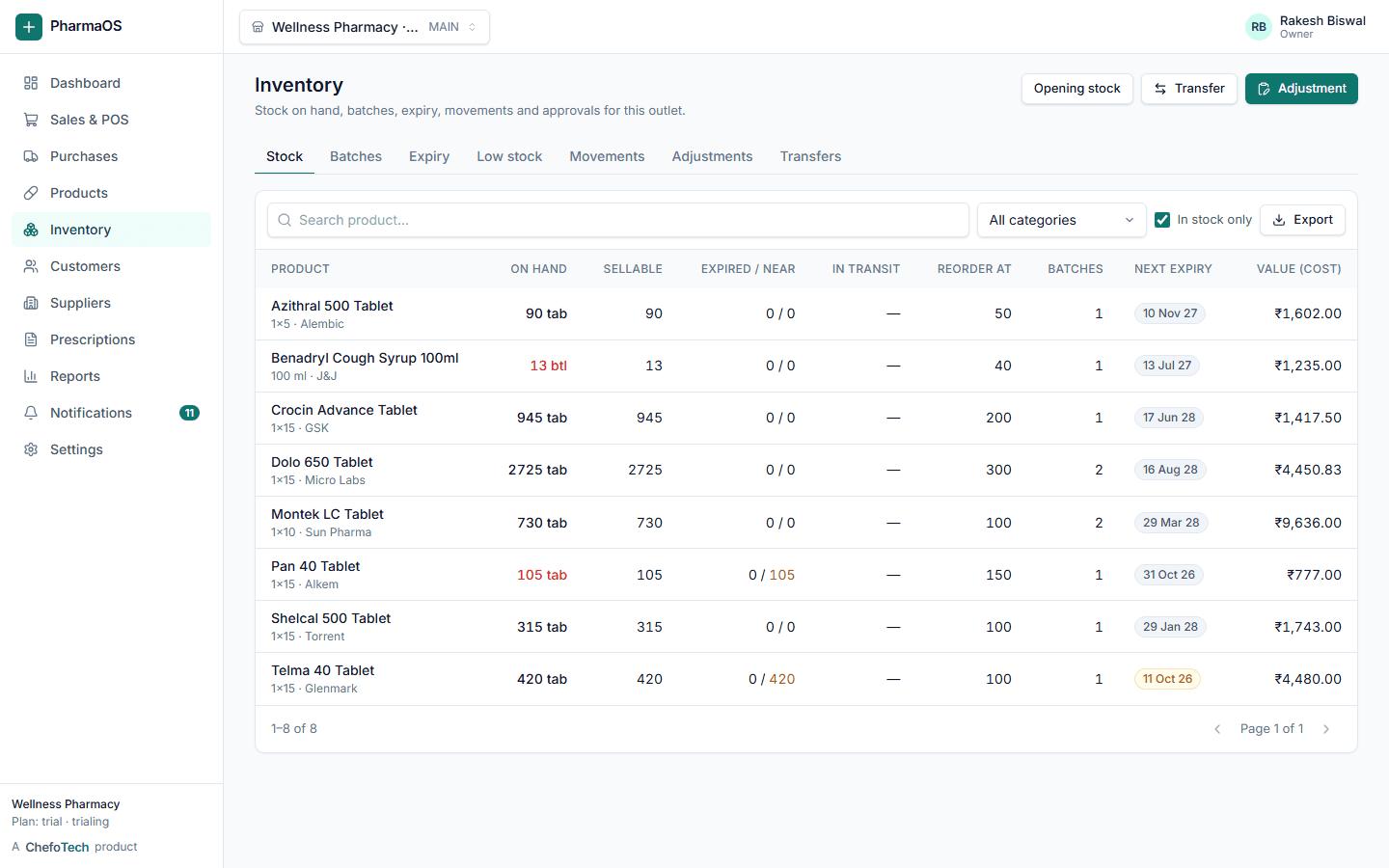
Know what is on the shelf, which batch, and when it expires
- Expired stock is blocked at the counter
- Supplier return and write-off with reasons
- Valuation at cost, movement history per batch
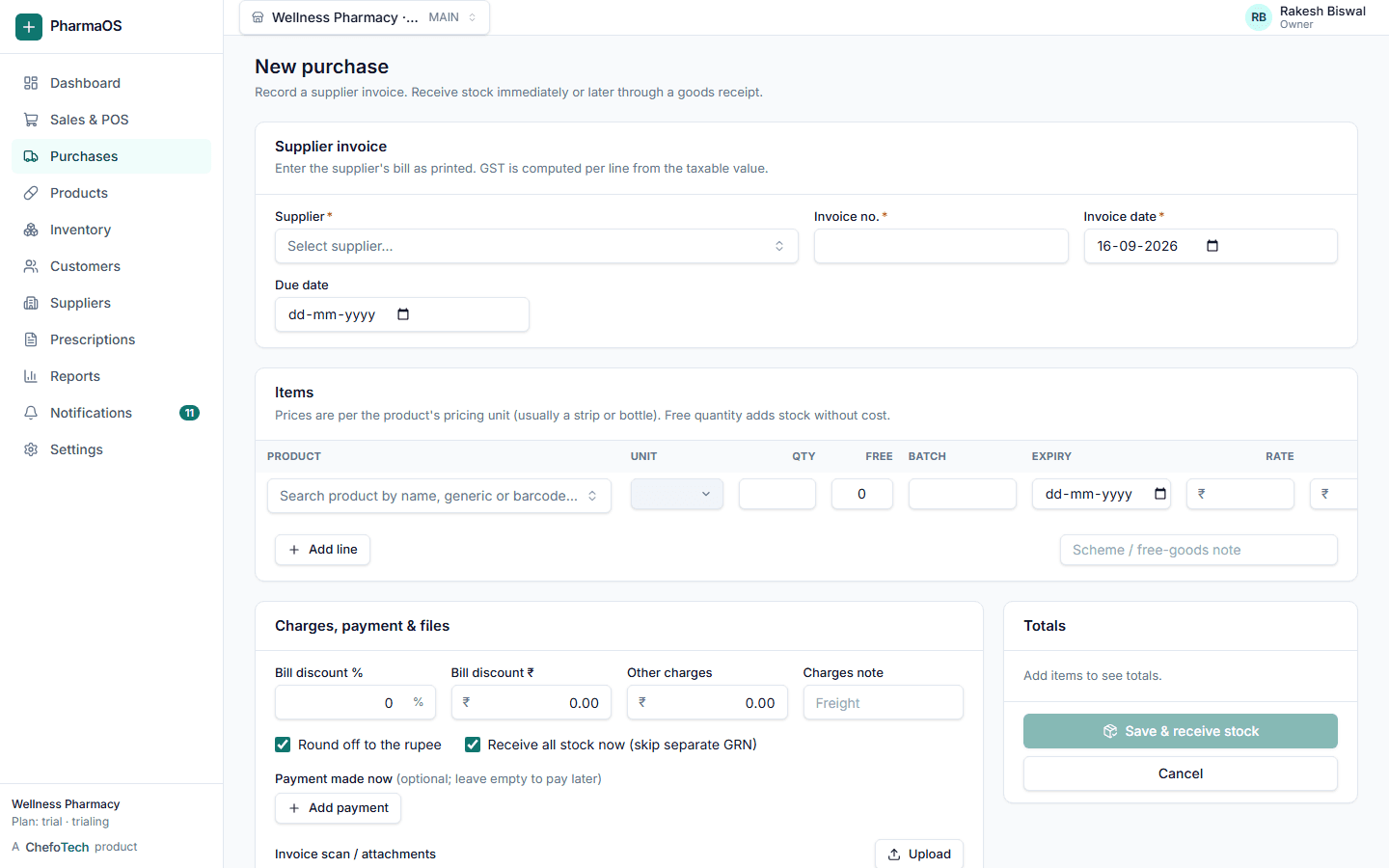
From the supplier's bill to the shelf, without re-typing
- Partial receipts with short and damaged notes
- Supplier due dates from payment terms
- Purchase returns and debit notes
Credit that reconciles, reminders that send themselves
- Customer and supplier ledgers
- Overdue and outstanding reports
- Prescription records per customer
Every branch on its own, all of them together
Reports that answer the owner's questions
Built to be depended on every day
Controls that a pharmacy, its accountant and its auditor can rely on.
Role-based access
Owner, manager, pharmacist, cashier and custom roles. Permissions are enforced by the server, not just hidden in menus.
Organization and outlet isolation
Every record belongs to your organization and every query is scoped to it. Staff can be limited to specific outlets.
Audit log
Who changed what, when and from where, with before-and-after values for financial and security-relevant actions.
Careful writes
Sales, purchases and payments are transactional and idempotent, so a retry never duplicates an invoice or deducts stock twice.
Controlled AI actions
The assistant can only do what the signed-in user can do, and nothing that moves money or stock happens without a confirmation click.
Your data stays yours
Export your whole organization as JSON at any time. Documents are stored privately and shared only through signed links.
Up and running in an afternoon
Create your organization
Name, GST state and your owner login. A main outlet and standard roles are set up for you.
Add products and stock
Import products, customers and suppliers from Excel, then enter opening stock with batches and expiry.
Start billing
Invite staff with the right roles, plug in a barcode scanner if you have one, and bill from the POS.
Run the business
Purchases, credit, reports and, if you want, the AI assistant, all from the same login on any device.
Software for people who run businesses
ChefoTech builds practical business software. PharmaOS is its pharmacy product line, designed with pharmacy owners, pharmacists and billing staff so every screen does one job clearly.
- Money is stored to the paisa and every document keeps a snapshot of prices and names, so old invoices never change
- Every feature on this site is in the product today; nothing here is a roadmap slide
- One design system across the website, the app, invoices and emails
- Direct support from the team that builds the product
Questions pharmacies ask
Can I manage multiple pharmacy outlets?
Can I sell loose tablets?
Can I manage customer Baki (credit)?
Does the system support GST?
Does the system have AI?
What happens if the internet drops at the counter?
More answers on the FAQ page.
See PharmaOS running on your own products
Create your organization in a couple of minutes, or ask us for a walkthrough. No card needed for the 14-day trial.