
An assistant that works from your pharmacy's real data
Ask questions, read documents, run reports and prepare everyday work with less typing. The assistant sees only what you are allowed to see, and nothing that moves money or stock happens without your click.
Montek LC Tablet — 7 strips (70 tablets) across 2 batches. Batch B2301 expires in 18 months.
Average sale is 1.4 strips per day, so this lasts about 5 days. Reorder level is 10 strips.
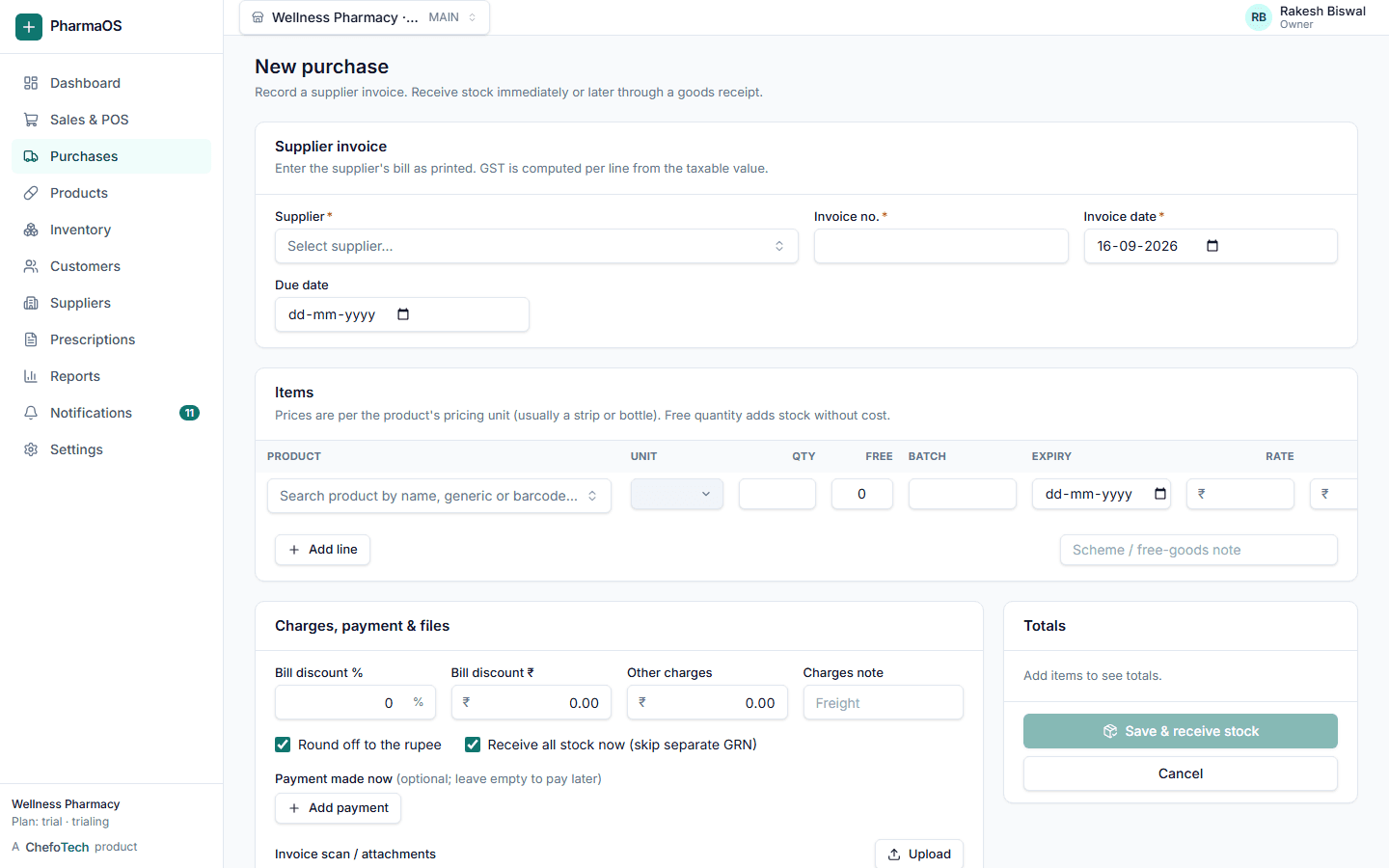
Purchase draft ready: 30 strips of Montek LC from Medico Distributors at the last rate ₹132.00. Batch and expiry are blank; fill them from the invoice.
How the assistant helps every day
Reduce manual data entry
Upload a supplier invoice photo or PDF; the assistant reads products, batches, expiry, rates and MRP into a purchase draft with a confidence flag per line.
Inventory assistance
Low stock, expiring batches, slow movers and a reorder list based on recent sales, in plain language.
Natural-language search
"Montek ka stock?", "Sharma ji ka balance?", "kal ki sale?" all get answers from your real data.
Report assistance
Ask for a report in everyday words; the assistant runs the real report and explains what stands out.
Contextual help
Every page has "What is this?" and any field can be explained, in English, Hindi or Hinglish.
Workflow assistance
Prepare a sale, purchase, prescription or payment from a sentence. It opens in the normal form for you to check and save.
A photo of the supplier's bill becomes a draft you check
Products are matched to your catalogue, with candidates when the name is ambiguous. Batch, expiry, rate, MRP and GST are filled per line with a confidence level, and the purchase is not saved until you submit the form.
- Works with photos and PDFs
- Unmatched products get a picker, never a guess
- Warnings for unreadable expiry or totals that do not add up
- Prescriptions read the same way into the prescription form
Built so the assistant cannot overstep
Same permissions as you
Every tool the assistant can call checks the signed-in user's role and active outlet. If you cannot see cost prices, neither can it.
Confirmation before actions
Payments, emails, sales and purchases are proposals. They open in the normal form or a confirmation dialog and go through the same endpoints as manual work.
Your key, your control
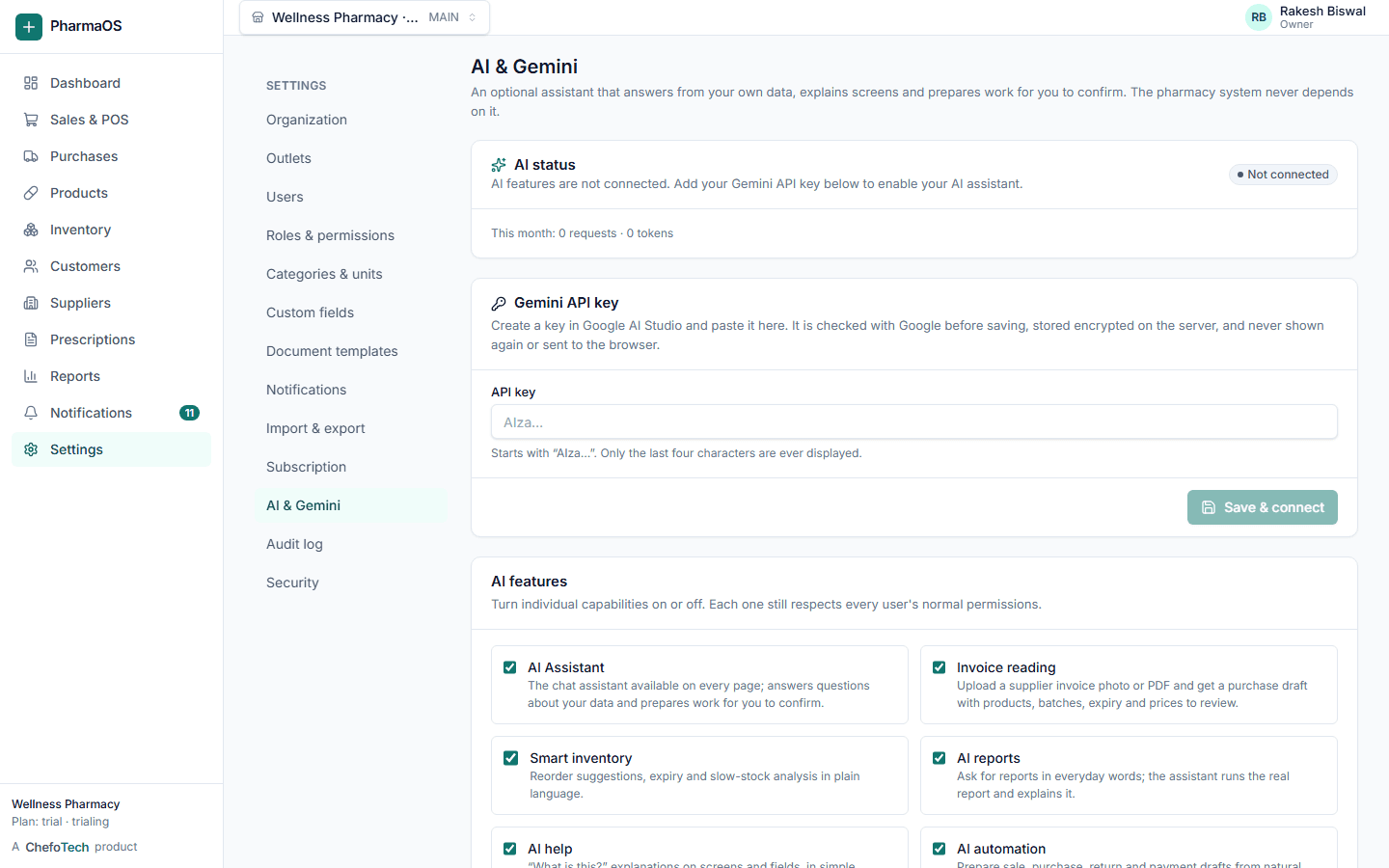
Each organization connects its own Google Gemini API key in Settings. It is encrypted at rest, never shown again, and you can remove it any time.
Plain language, no invented numbers
Answers cite the data they used and say when something is uncertain. English, Hindi and Hinglish are supported.
The AI assistant is optional and depends on your organization's Gemini setup and Google's API terms. It supports pharmacists and staff with information and drafts; professional judgement, dispensing decisions and legal compliance remain with your team.
Enabled in minutes
Get a Gemini API key
Create one in Google AI Studio under your own Google account. Usage is billed by Google to you.
Add it in Settings → AI
PharmaOS tests the key before saving it, encrypts it and shows only the last four characters afterwards.
Choose features
Turn the assistant, invoice reading, smart inventory, reports, help and voice input on or off. Set a monthly token limit.
Ask away
The Ask AI button appears on every page for staff with the AI permission. Every proposed action is logged.
Questions about the AI assistant
Can I import purchase invoices?
Does the system have AI?
Is my data separate from other pharmacies?
More on the FAQ page.
Try the assistant on your own stock
Start a free trial, add your Gemini key in Settings, and ask your first question. Or book a demo and we will show you.